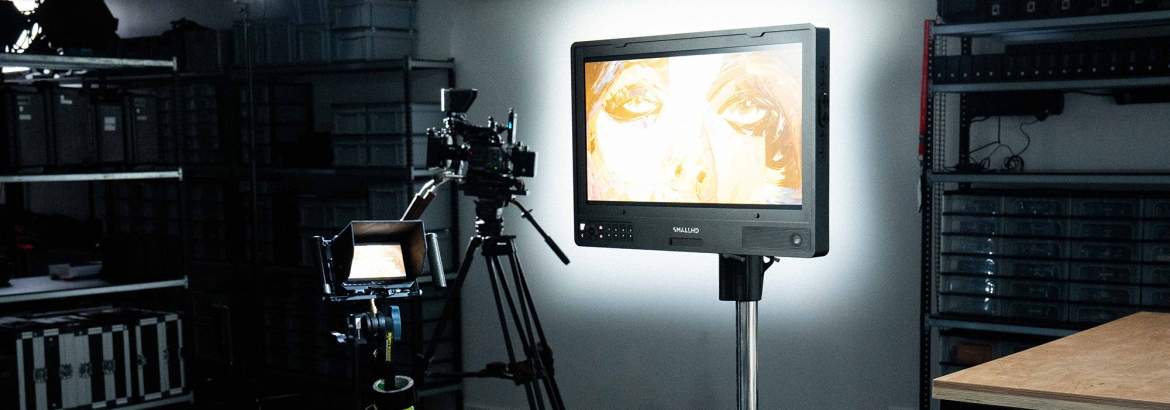
SmallHD Video village for small to medium film projects
Team overview and monitoring needs
Director of Photography or Camera Operator
This is without a doubt the main person in charge of framing the shot and recording the clips. He or she wants a reliable monitor that displays the image accurately, with the option to see how the image looks with a LUT applied, and to use all available tools to set the perfect exposure. On most corporate shoots, the DOP uses a small but powerful monitor that they can rely on in all conditions. The brightness should be adequate for the shooting environment. The monitor is most often connected to the camera with an SDI cable. If the DOP is working in a wireless video environment, there should be no delay.
Assistant Camera
A 1st AC has similar needs to a DOP but is mainly responsible for setting focus. This person requires a sharp monitor with focus peaking capabilities. On small to medium sets, the 1st AC will usually request a monitor with a minimum size of seven inches. In most cases, the 1st AC works alongside the DOP and moves between shooting locations with them. It is generally considered good practice to provide the 1st AC with the most reliable wireless video connection so that focus can be pulled in real time according to the action in the shot.
Director
A director generally needs a larger monitor without unnecessary complexity. The image should have accurate colour and preferably display a LUT. The monitor should be large enough to allow the director to clearly view the emotions of the characters. The director will usually not require tools such as scopes or histograms, but they will want to see the image exactly as it will appear in the final production. Prepare the exact aspect ratio for them and ensure there is zero latency.
AD, Script, Props and Other Departments
These people are essential to the production and play an important role in continuity and coordination. They should have access to a monitoring solution, but it does not need to be as advanced as the ones for the camera department or director. They can work with some latency, and the image does not have to be perfectly colour accurate. A more cost-effective solution is sufficient here.
How to set up your video village?
We consider the following gear for an example setup:
- SmallHD Indie 5 for the DOP’s monitor.- SmallHD Indie 7 for the 1st AC’s monitor.
- SmallHD Cine 18 for the director’s monitor.
- DwarfConnection CLR2.MKII set.
Setting up a video village is straightforward if you know your equipment. It is good practice to set up all monitors before the shoot and place them close together. By comparing the image from one monitor to another, you can make adjustments so that every team member sees the same colours and aspect ratio.
Reset each monitor to its default settings to ensure no unknown configuration is affecting the image. Set the date and time, then upload the LUTs for the project. If you are not using LUTs, add REC709 LUTs for the camera you are working with. In the case of SmallHD monitors as shown in our test setup, all manufacturer conversion LUTs are built into PageOS. Test the image with the camera you will be using for the project and make sure it is outputting a log signal in the desired resolution.
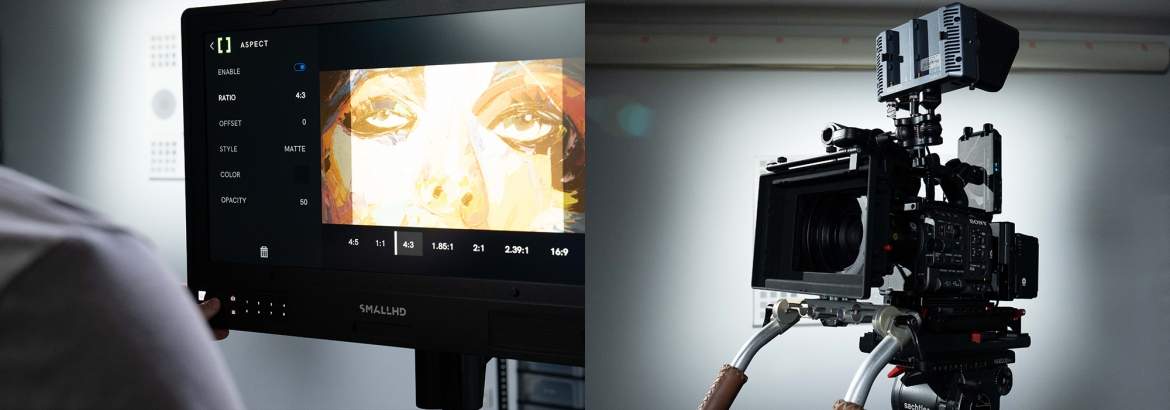
Once the colours on all monitors match and are fine-tuned for the project, adjust the aspect ratios so the whole team sees the exact framing. This avoids situations where important props are placed outside the intended frame.
Setting up the monitors
Start by mounting the DOP’s monitor on the camera rig. Every operator has their own preference. Some like to shoot from the hip, others prefer a shoulder setup, and when the camera is on a tripod, some prefer the monitor mounted at the back of the rig. For flexible positioning, use a magic arm.
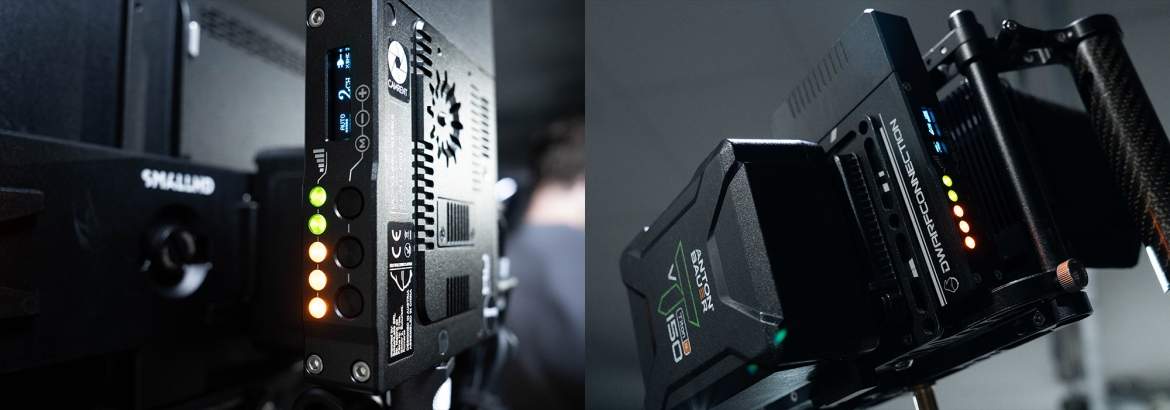
Once the DOP’s monitor is mounted, attach the wireless video transmitter to the camera. In this case, we used the reliable DwarfConnection transmitter with compact stubby mushroom antennas to keep the setup small and manageable.
To build a compact focus station, mount the seven-inch SmallHD Indie 7 on a portable adjustable stand. We used an ARRI 050KA combined with a grip head and a Manfrotto 013 spigot. The grip head allows the monitor to be adjusted to almost any position. Mount the DwarfConnection receiver in the cage, keep cable management tidy, and use angled SDI cables. To save time during battery changes, connect all D-tap cables to the V-mount breakout plate on the back of the monitor.
The heart of the village
We are not claiming to provide the most high-end monitoring solutions that include DIT tools or live grading. However, our 18-inch SmallHD Cine 18 is the centrepiece for the director. This monitor delivers accurate colours, is bright, and has a range of tools that can be set up by the AC so that the director and other departments see exactly what they need.
All our larger monitors come with a C-stand. Make sure to secure the stand properly with sandbags. Attach the wireless receiver so that it faces parallel to the transmitter and ensure a clear line of sight between them. This prevents interference. If the video village is in a different room from the camera, mount the receiver on a separate stand and connect it to the monitor with a secure cable. This simple step can make the difference between a happy director who requests your team again and one who leaves frustrated.
A video village should also include seating for the most important members of the production, such as the director, AD, producer and client. If you are expecting rain while shooting outside, arrange for a tent. It is also useful to expand the village by connecting a second monitor nearby for the props department or makeup artists.
Final thoughts
Setting up monitors for your next shoot is simple but requires attention to detail. You are responsible for what everyone sees on set. A neglected monitoring solution can lead to frustration, while a well-executed one will ensure your work is remembered for the right reasons.
 Een ogenblik geduld